One tap. Attendance marks itself.
Chasing class confirmations in DMs is dead time. In Studio OS you send one poll to your class WhatsApp group — replies reconcile with bookings and the roster fills in on its own.
- Owner or coach sends the poll in one tap — no copy-paste
- Lands in your real class WhatsApp group, where members already are
- Members tap In or Out — votes sync straight back to bookings
- Attendance is marked automatically — the roster is just done
Members pay online, subscriptions run themselves
Plug in Stripe and members buy plans directly from your pricing page. Stripe handles checkout, cards, invoices, and cancellation through the customer portal. You set a fee markup per tenant and the platform passes the total through cleanly.
- Self-serve plan purchase from pricing page
- Stripe Customer Portal for cancellations and card updates
- Auto-sync cancellations and expiry back to the platform
- Per-tenant fee markup configurable in settings
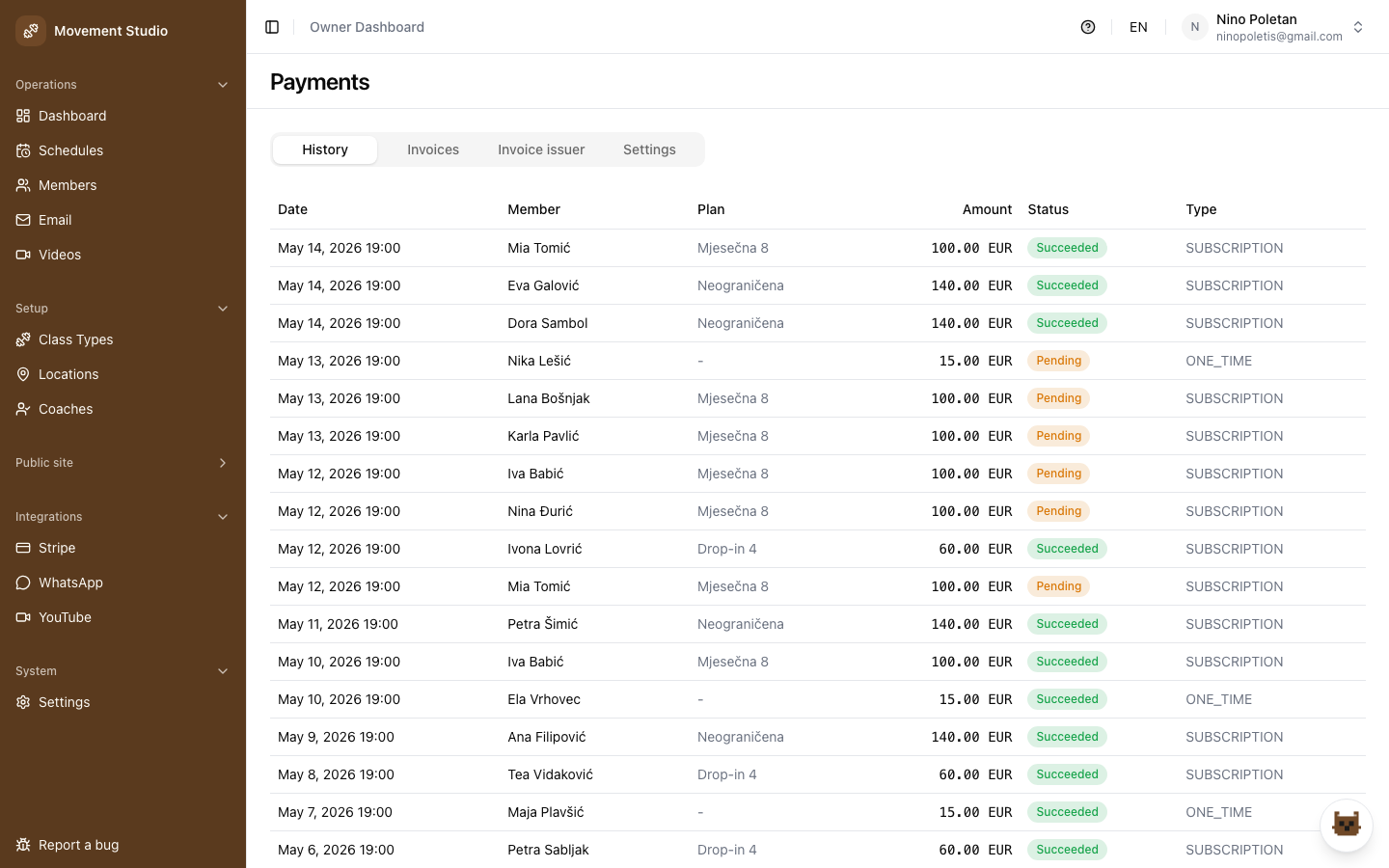
- Full payment history in the owner dashboard
Your marketing site, editable without a developer
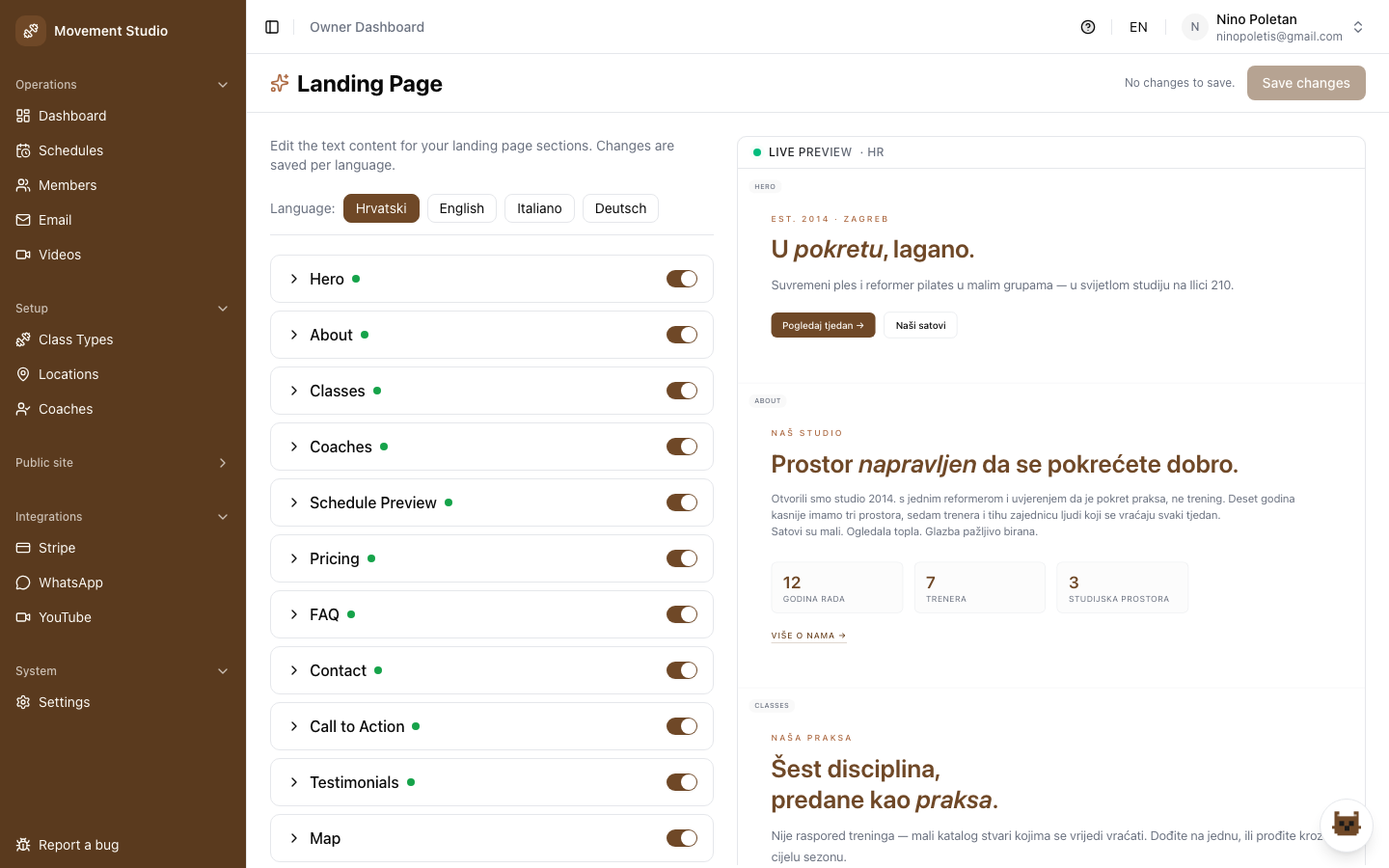
Landing page sections, pricing, colors, templates, testimonials, map and hero video are controlled from the owner panel. Pick a design template, swap palettes, toggle sections, push updates live.
- Design templates: Elegant, Golden Gym, Kinetic (dark)
- Preset palettes + custom color picker
- Toggle any landing section on/off (hero, about, classes, pricing, FAQ, map...)
- Google reviews as testimonials or your own content
- Promotions and content update instantly, no redeploy
Automated emails keep members showing up
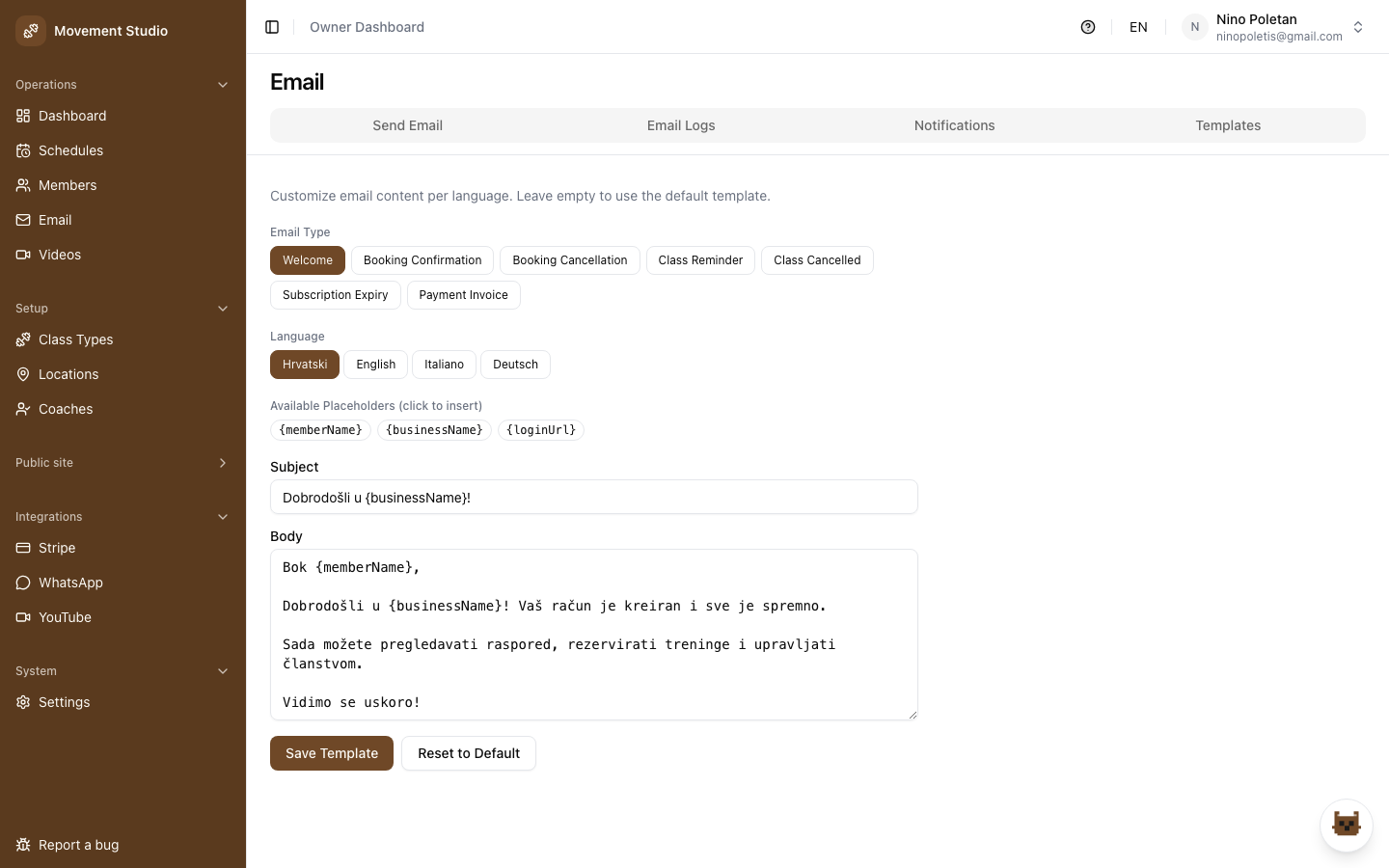
Nine email flows fire at the right moments: welcome, booking confirmation, cancellation, 24h class reminder, class cancelled, subscription expiry warning, personal training requests and responses. Bulk email composer for promos and news.
- 9 branded email templates, fully automated
- Reminder timing and expiry warnings configurable
- Bulk email composer with recipient groups
- Per-template toggles, so you only send what you want
- Email history log with status and errors
Built so members, coaches, and owners actually enjoy it
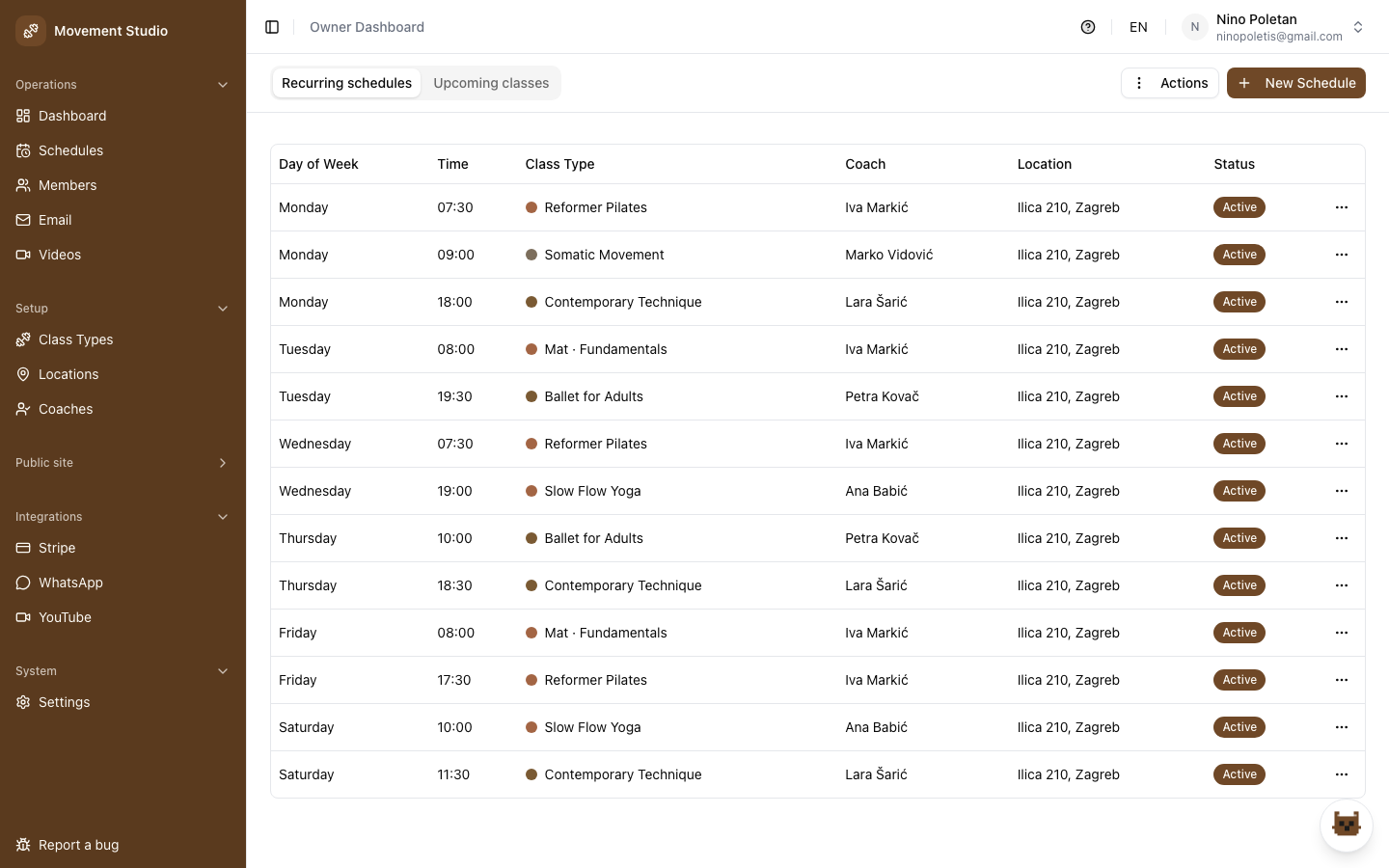
Weekly calendar members book in two taps. Coaches mark attendance from their phone. Owners see everything from one dashboard. Mobile, tablet and desktop share the same clear experience.
- Color-coded weekly calendar with real-time spots
- One-tap booking for members, one-tap attendance for coaches
- Fully responsive across phone, tablet and desktop
- Croatian, English, Italian built-in
- Most studios fully onboarded in a day
Sell on-demand video access as its own revenue stream
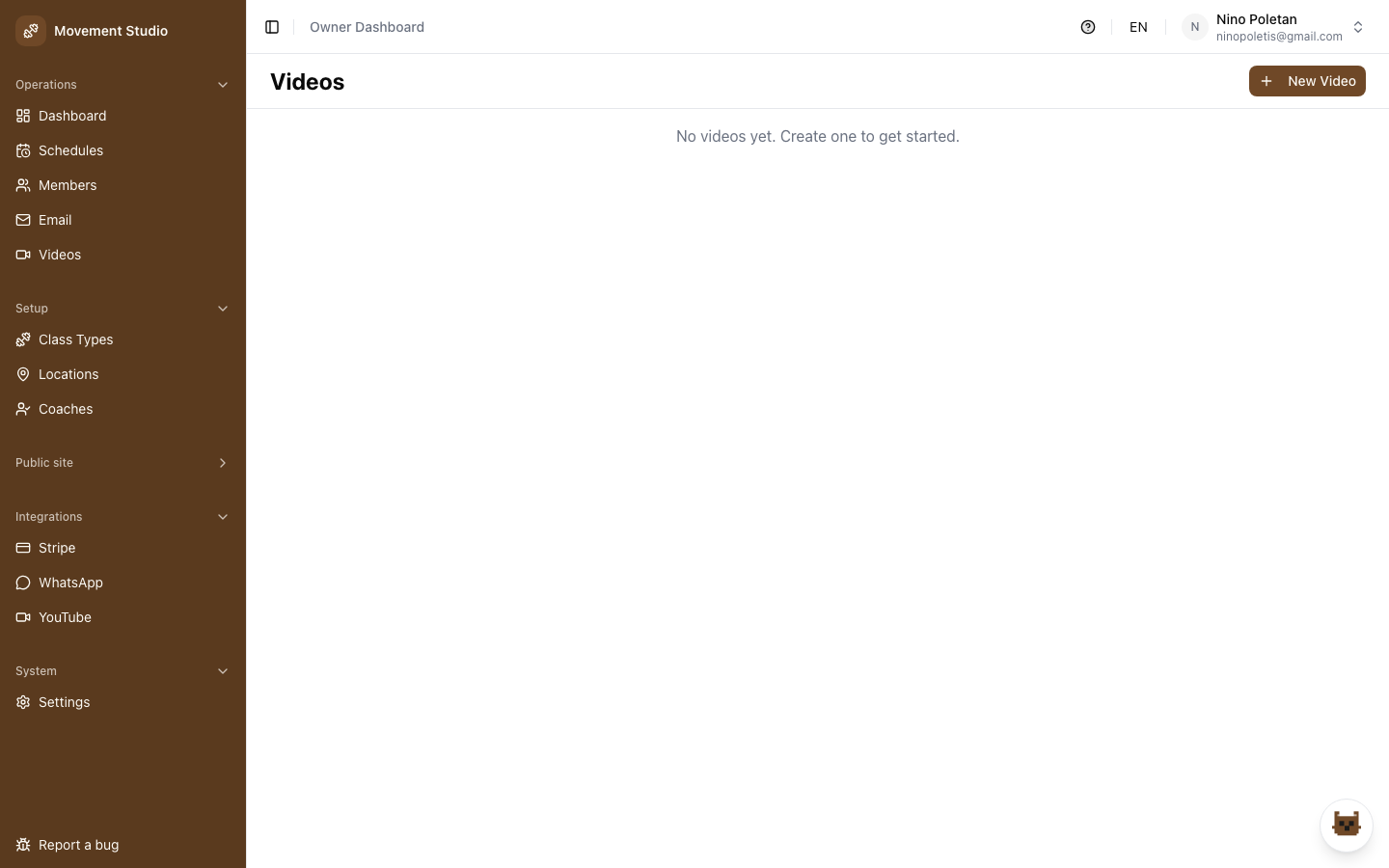
Upload choreography, recorded classes and tutorials into a members' video library, then gate it behind a paid plan or credit. Members pay for on-demand access from any device — a recurring revenue line that runs without a room or a coach's time.
- Upload choreography, recorded classes and tutorials
- Gate the library behind a paid plan or credit pack
- Members stream on-demand from phone, tablet or desktop
- Coaches upload their own choreography videos
- New revenue with no extra room or coach hours
Upload once. Plays everywhere— site · TV · YouTube.
Adding a class video shouldn’t mean exporting files and juggling a YouTube account. In Studio OS a coach uploads once — the rest happens on its own.
- Coaches just upload — no exporting, no YouTube logins, no tech
- Stored on the [poletis] cloud and live on your site in seconds
- Auto-uploads to YouTube in the background, link generated for you
- Plays everywhere: your site, the studio TV, and YouTube
Not a demo, the real product you run your studio from
This is the actual admin a studio uses every day. The depth is the point.
One command center for the whole studio
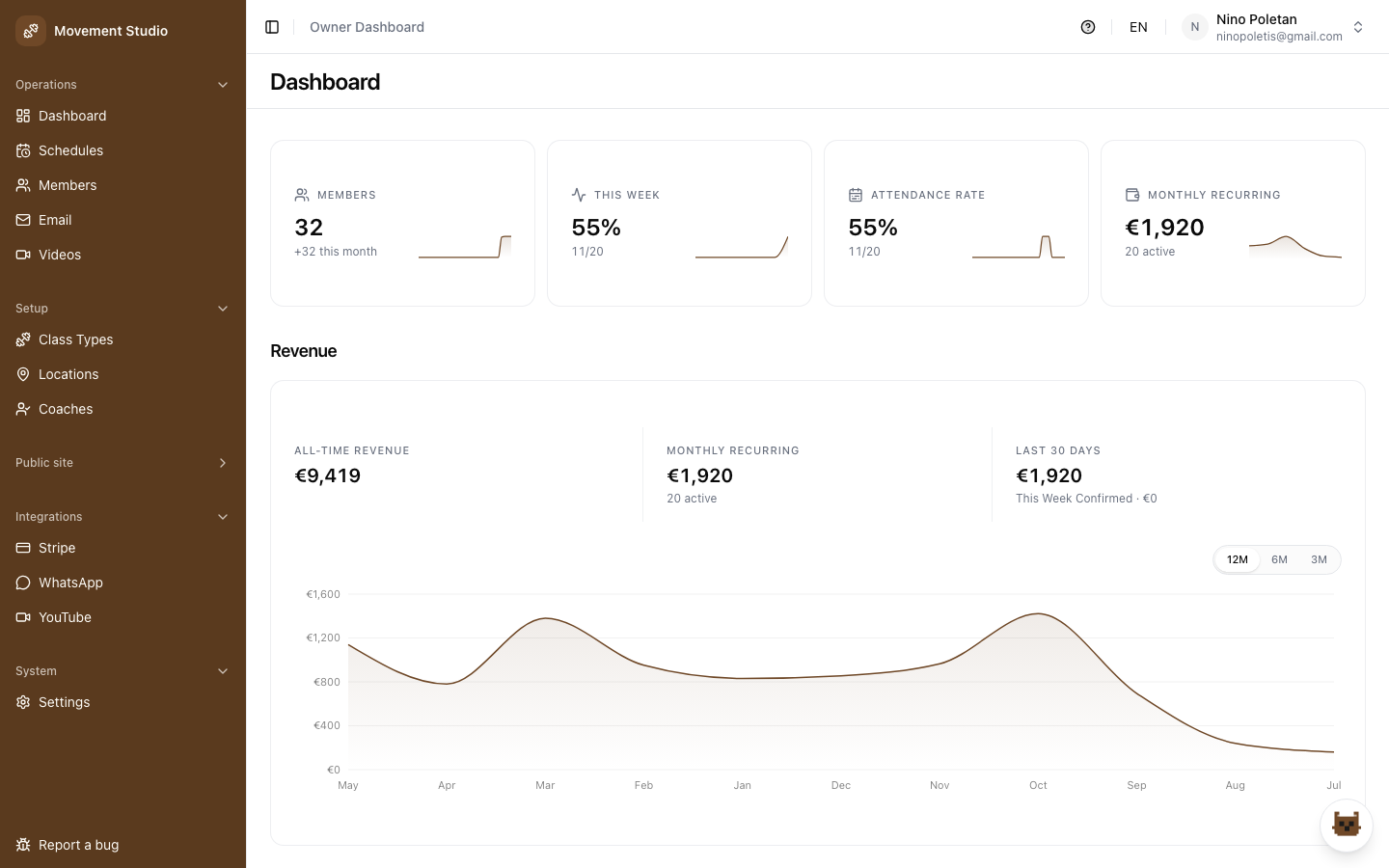
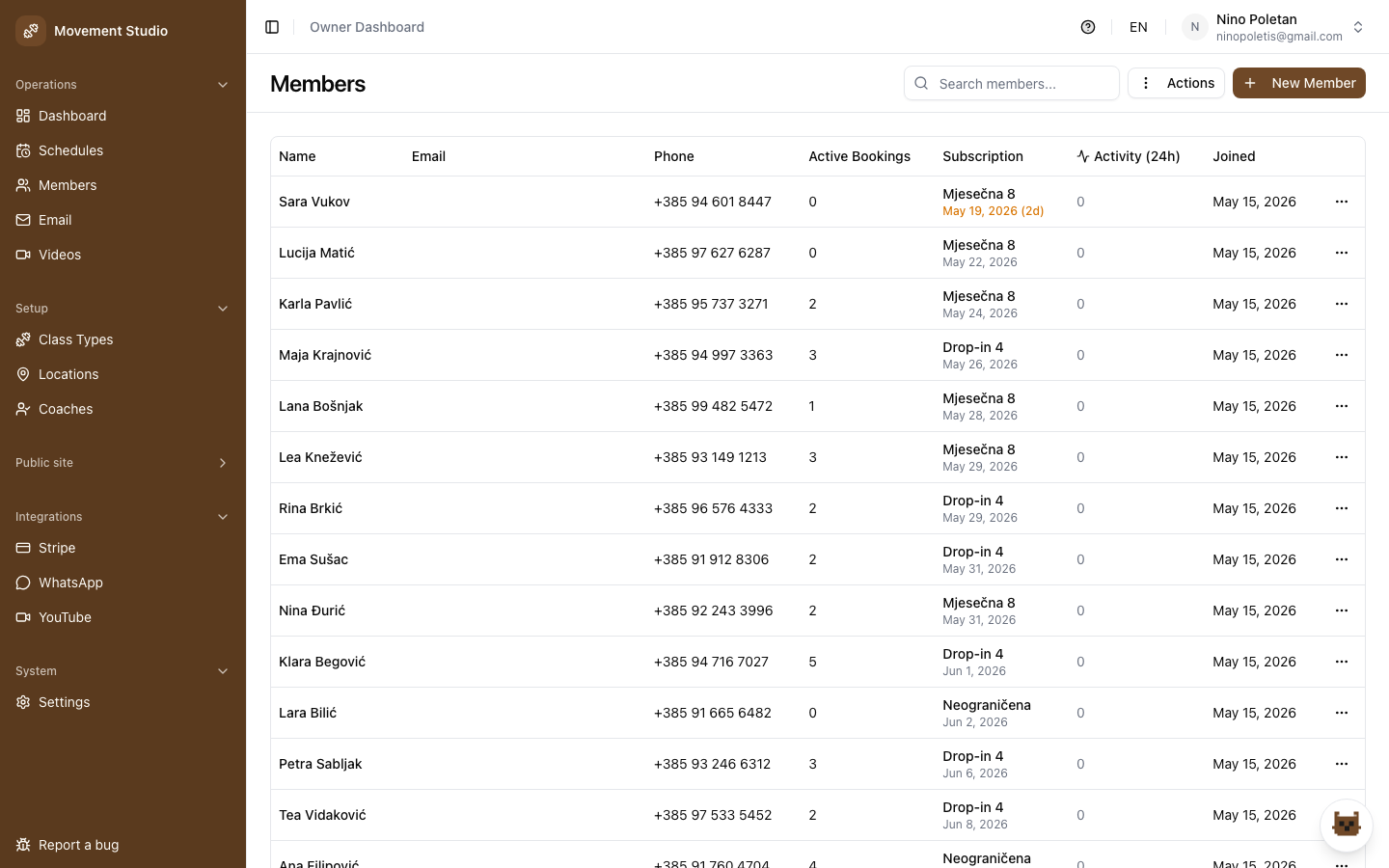
Open the dashboard and the day is in front of you: today's classes, occupancy, revenue and new members. Drill into the member directory to manage subscriptions, credits, categories and history without leaving the panel.
- At-a-glance dashboard: classes, occupancy, revenue, members
- Full member directory with search and filters
- Manage subscriptions, flex credits and member categories
- Per-member history for bookings, payments and attendance
Build your weekly program in minutes
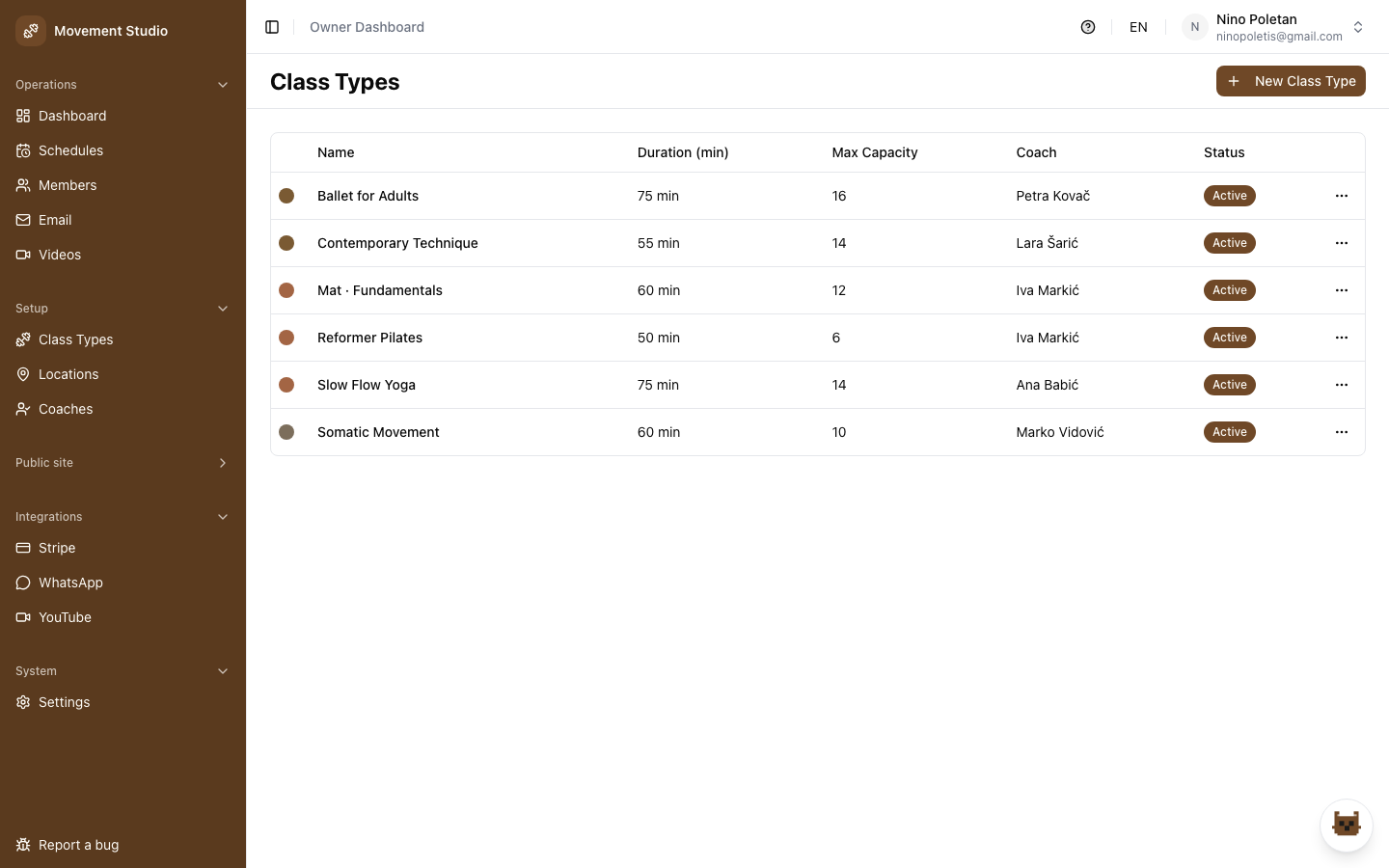
Define class types, assign coaches and lay out the recurring weekly schedule. Change a time or a coach and every member view updates instantly, no spreadsheets or redeploy.
- Recurring weekly schedule with per-location calendars
- Class types with capacity, level and color
- Assign coaches; coach views update automatically
- Edits go live instantly across member and public views
One platform, themed to your brand
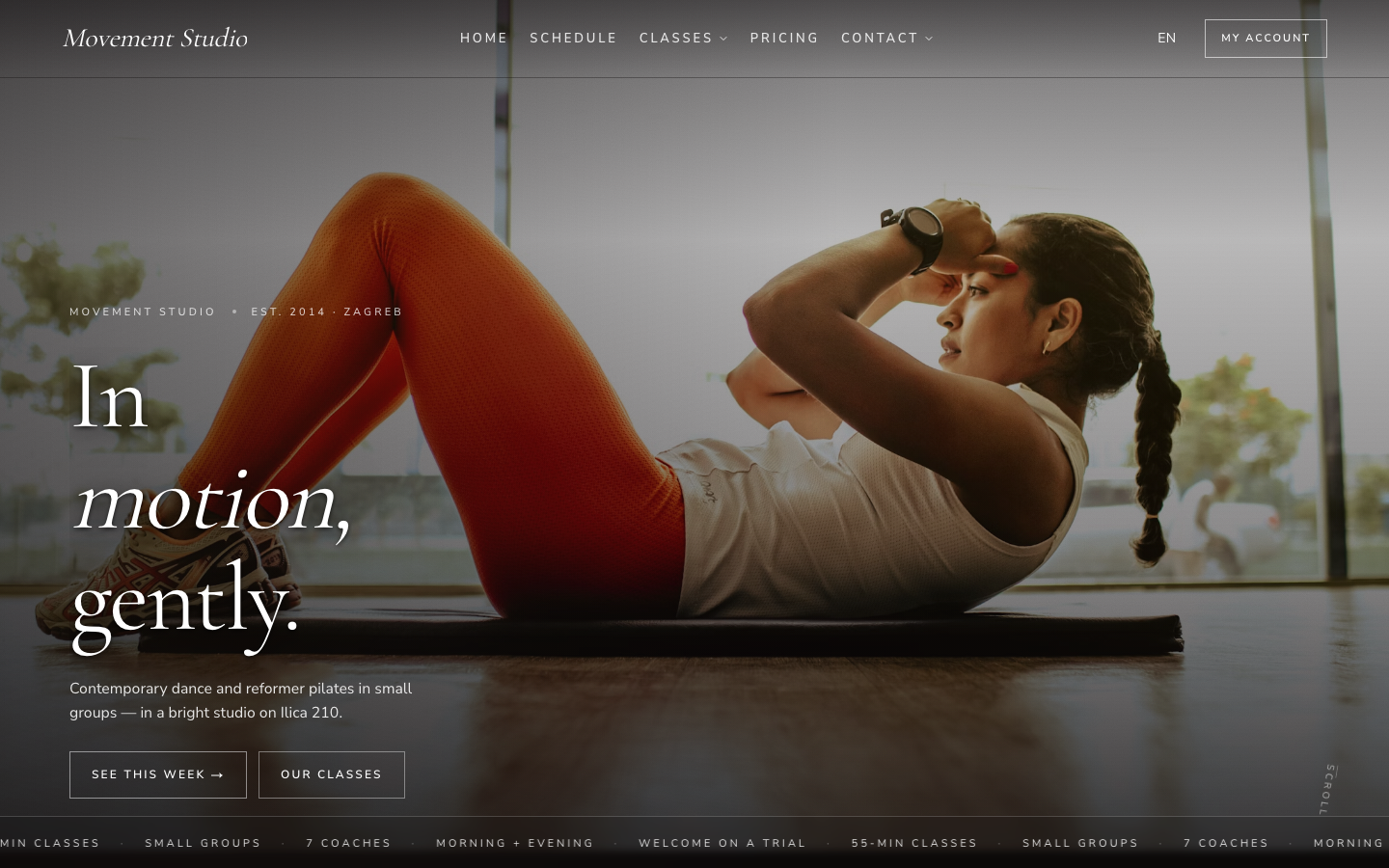
One engine, fully themed per studio. Here are real studios running on it right now.
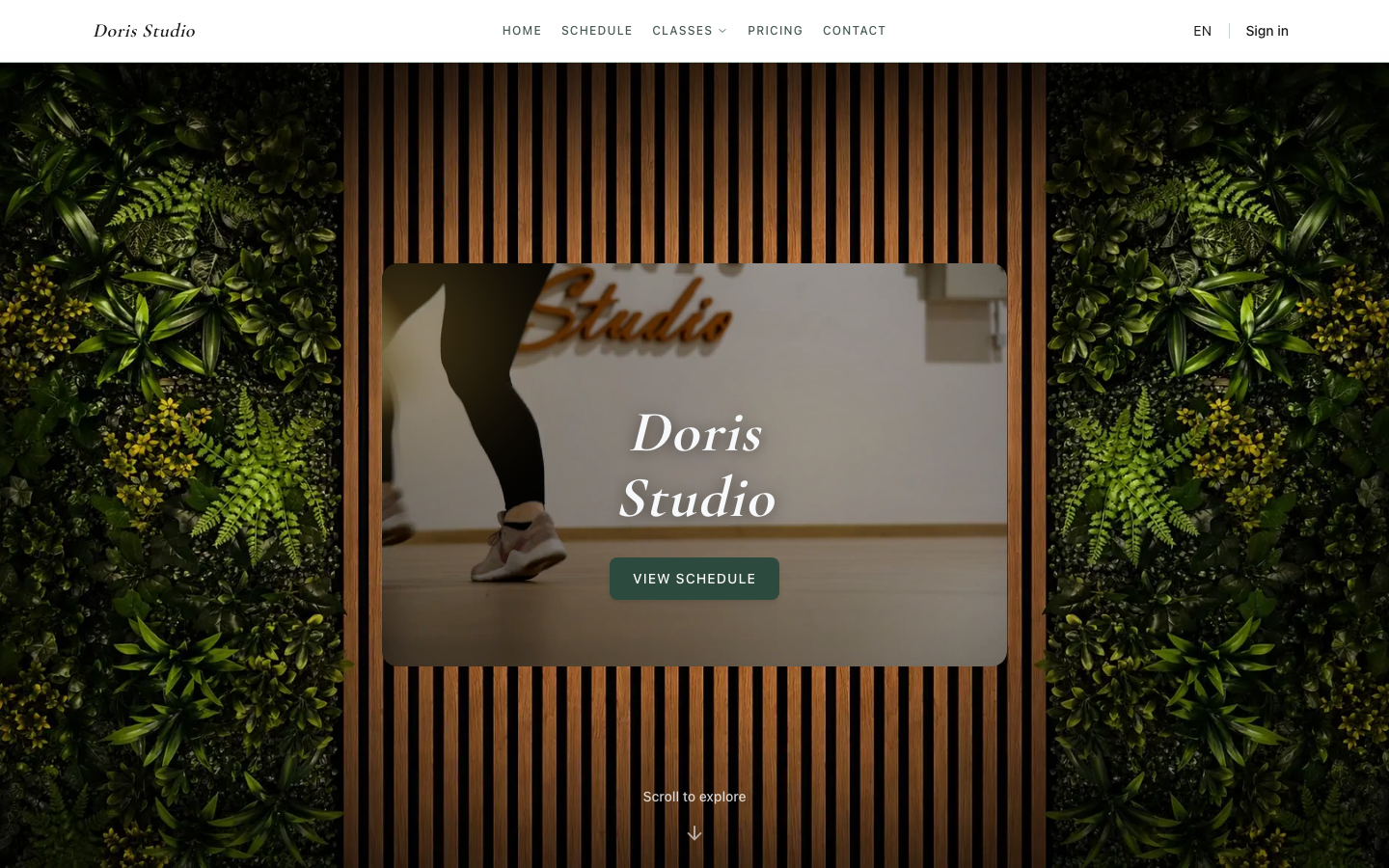
Doris Studio, A clean studio site running live on the platform.
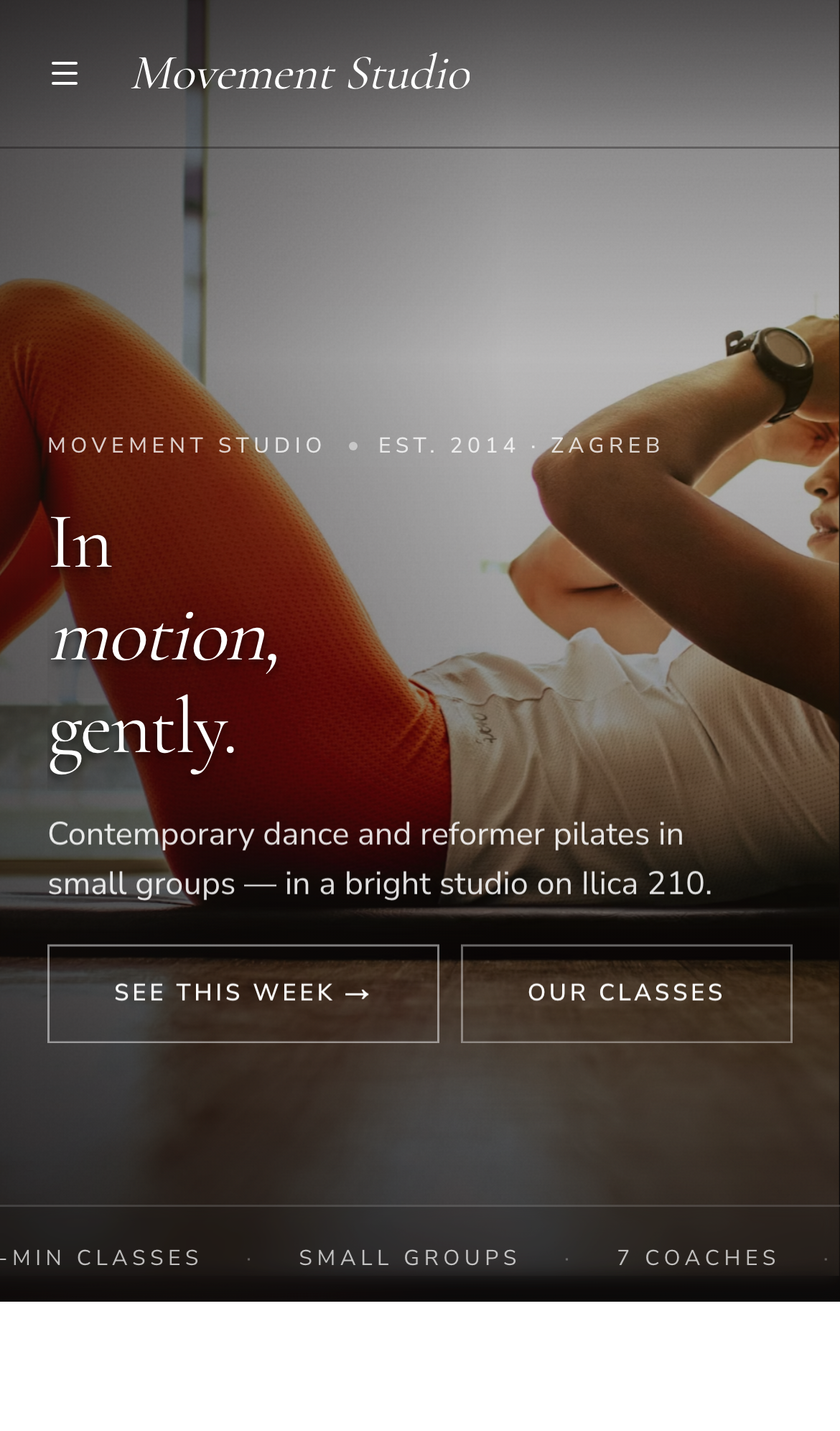
The same studio in every pocket
Members book from their phones, owners run the studio from theirs. The booking flow, schedule and pricing are built mobile-first, not squeezed down from a desktop tool.
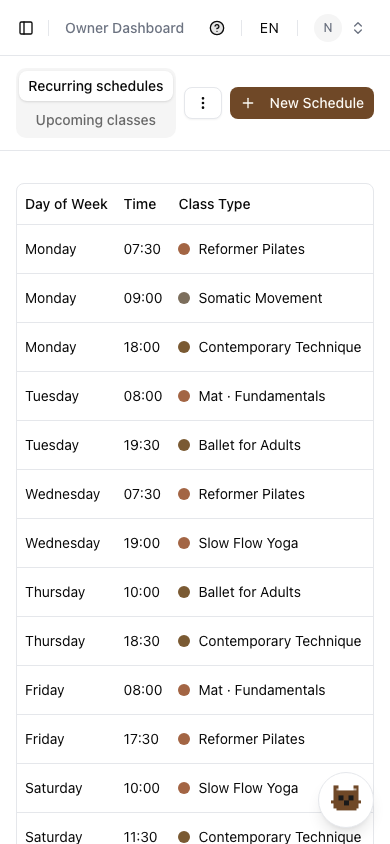
Owner, coach, member, each gets exactly what they need
Separate dashboards with role-based access. No clutter, no extra training, no shared logins.
AI assistant for owners and coaches
This AI assistant works as well — it's in a testing phase right now: ask it to schedule classes, draft member emails, or run admin tasks for you. Not something we're promoting yet, just a direction the platform is heading.
The details that add up
Alongside the big wins, the platform covers the everyday essentials of running a studio.
Plans built for real studios
Start free during early access. One clear structure — pick the tier that matches how you run your studio.
Prices in USD, net. Sales tax calculated at checkout.
Starter Get a booking page online $179/mo Start free testing | GrowthMost popular Run your whole studio $269/mo Start free testing | Premium A bespoke site, built for you Custom Scoped to your site — let’s talk Let’s talk | |
|---|---|---|---|
| Compare plans | |||
| Booking & scheduling site | Included | Included | Included |
| Website design | Template + your colors | Customized template | Fully bespoke build |
| AI assistant | Limited | Full | Full |
| Payments & billing | Not included | Included | Included |
| WhatsApp integration | Not included | Included | Included |
| Member email messaging | Not included | Included | Included |
| Web analytics & lead tracking | Not included | Not included | Included |
| Locations | 1 + add-on | 1 + add-on | Custom |
| Support | Personal, dedicated | ||
| Onboarding | $499 one-time | $499 one-time | Part of the project |
Each extra location $100 /mo
One-time onboarding (Starter & Growth) $499 Premium onboarding is part of the project.
Need several locations or a phased migration? Bring it into the early-access conversation and we’ll map the cleanest start. Onboarding is a guided video call with us — a one-time setup fee, not included in the plan price.
Common questions
The short answers. For anything specific, get in touch.
What's the difference between Starter, Growth and Premium?
Starter is a clean booking and scheduling site you set up yourself — pick a template and colors. Growth adds the full studio engine: payments, WhatsApp, member emails and the full AI assistant. Premium is a fully bespoke website we build for you, with web analytics, lead tracking and dedicated personal support.
Can members pay me through the platform?
Yes, from the Growth tier up. Stripe lets members buy plans from your pricing page and manage or cancel their own subscription. Starter is booking only — no payments.
How does the WhatsApp integration work?
On Growth and Premium you send an attendance poll straight to your class WhatsApp group; replies reconcile with bookings automatically. Works on the free click-to-chat tier. Not included on Starter.
Can I change the website myself?
On Starter and Growth you control template, colors, sections, pricing and content from the owner panel — no developer. Premium is hand-built to your design instead.
Do you support multiple locations?
Yes. Every plan includes one location; each extra location is a small monthly add-on with its own calendars and schedules.
How does onboarding work?
Onboarding is a guided video call with us — webcam, screen-share, the lot. It's a one-time setup fee on Starter and Growth, separate from the plan price (see the pricing page for the amount in your region); Premium onboarding is part of the bespoke project. Send your domain and details and we set everything up with you on the call.